Write familiar code
Use .jn or .java files. Nexa implements its own standard library and supports a subset of Java syntax and APIs. Java SE and arbitrary JAR loading are out of scope.
Programming language & toolchain
Nexa is an experimental Java-like language and ahead-of-time compiler. Write familiar source, then build a standalone native executable or target the browser with WebAssembly.
public class Main {
    public static void main(String[] args) {
        System.out.println("Hello, Nexa!");
    }
}The language
Use classes, interfaces, arrays, lambdas and exceptions in Nexa’s supported language subset. The compiler runs on Java 21 or later. A compiled native program runs with the Nexa runtime, with no JVM or JRE required.
Use .jn or .java files. Nexa implements its own standard library and supports a subset of Java syntax and APIs. Java SE and arbitrary JAR loading are out of scope.
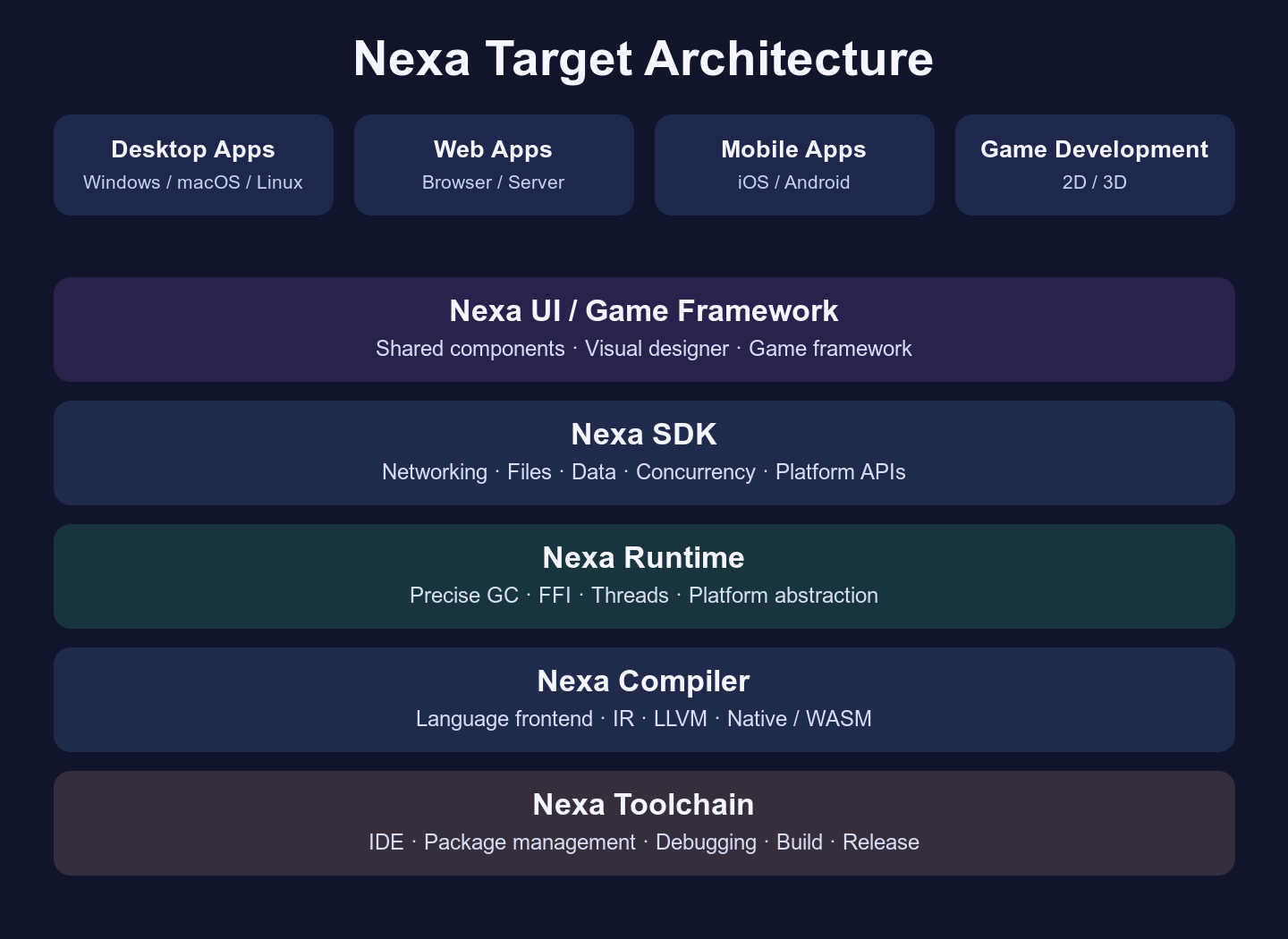
The native backend emits LLVM IR and uses clang to link the executable with Nexa’s runtime. macOS on Apple silicon is the primary verified host.
The experimental wasm32-browser target emits a WebAssembly module with JavaScript glue for browser services.
Compiler & architecture
The frontend parses and type-checks your program. Nexa lowers it to its own intermediate representation, applies optimizations, and emits code for the chosen backend.
SDK & runtime
NEXA-002 brings common runtime services under a shared API. Target-specific adapters handle differences in clocks, HTTP and host access.
Measure elapsed time with the monotonic clock. Use NexaDeadline and cancellation tokens to stop cooperative work at checkpoints.
NexaHttp exposes GET, HEAD and text POST. Browser requests use Fetch and follow CORS rules. NexaPath handles path strings across targets.
Shared logging routes to native streams or the browser console. Runtime APIs expose processor count and garbage collection. WASM uses a single execution lane.
| Capability | Native | Browser WASM | Mobile WebView |
|---|---|---|---|
| Execution model | Host executable | Experimental browser module | Experimental WASM container |
| Clocks, logging, cancellation | Shared APIs | Shared APIs | Uses browser-target APIs |
| HTTP client | Native transport | Browser Fetch and CORS | Uses WebView Fetch |
| Host filesystem | Available | Unavailable | Unavailable through the shared runtime |
| Threads, raw sockets, native FFI | Native APIs | Unavailable | Unavailable through the shared runtime |
Development tools
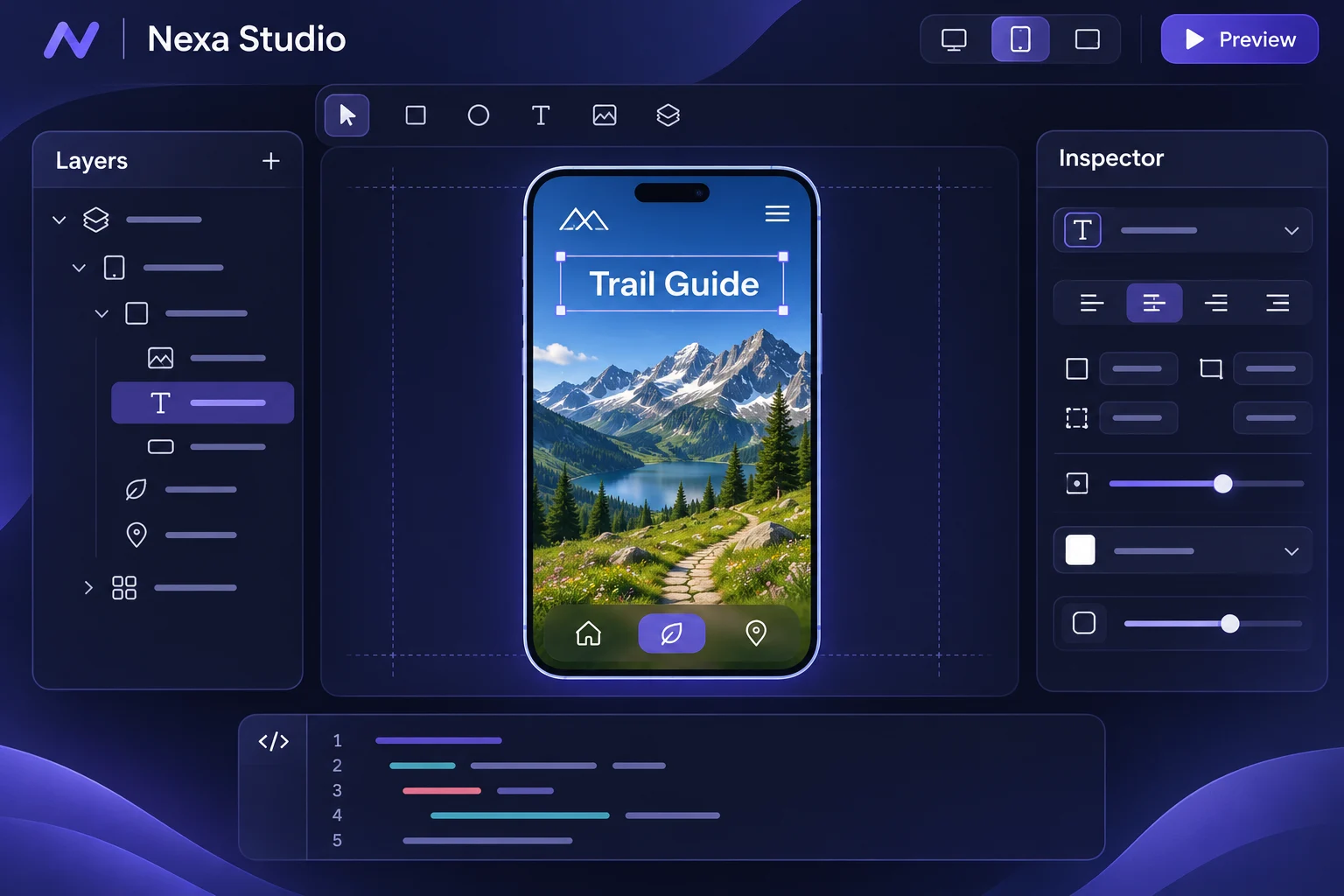
The experimental Studio CLI can open, edit, build and run Nexa projects. The proposed visual editor brings component layout, property editing and device previews into the same workspace.
Visual editor concept
Quickstart
From a Nexa source checkout, use Java 21+, Maven 3.9+ and clang on your PATH. The included example prints Hello, Nexa!.
mvn -q -DskipTests package
./scripts/nexa doctor
./scripts/nexa examples/guide-hello/src/Main.jn -o Hello
./Helloexamples/tutorials/cli-todoexamples/http-serverexamples/browser/float-calcSee docs/en/start-here.md in your checkout for a guided tour.
Roadmap
The SDK and runtime are the foundation for cross-platform UI, visual tooling and a broader application ecosystem.
Continue narrowing platform differences in shared services and run the same core regression cases on multiple hosts.
Bring component trees, layout and events into a common model, then use it as the foundation for Studio’s visual designer.
Validate native mobile workflows and browser behavior. Explore 2D game tooling, packaging and debugger integration.